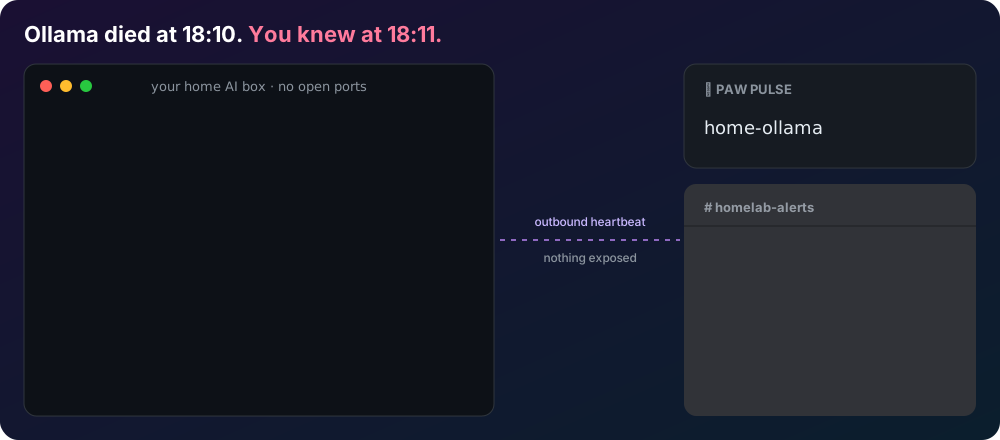
Why push, not pull?
Most uptime monitors work by polling your server from the outside, which means punching a hole
in your firewall and exposing Ollama/llama.cpp/vLLM to the open internet. Paw Pulse flips that
around: a tiny script on your machine sends a heartbeat out to us every few minutes. If the
heartbeats stop, we notice. Your LLM server never has to accept a single inbound connection.
Quick start
-
Create a monitor:
curl -X POST https://pawpulse.dougalpaw.workers.dev/v1/monitors \
  -H 'content-type: application/json' \
  -d '{"name":"home-ollama","grace_seconds":300,
       "webhook_url":"https://discord.com/api/webhooks/…"}'
Save the ingest_token and manage_token from the response — the ingest
token is the only credential the client needs, and we cannot recover either one for you.
-
Grab the client script and drop it on the box running your LLM server:
curl -o /usr/local/bin/pawpulse.sh https://pawpulse.dougalpaw.workers.dev/pawpulse.sh
chmod +x /usr/local/bin/pawpulse.sh
-
Run it on a schedule (cron shown, systemd timers work the same way):
# every 5 minutes
*/5 * * * * PAWPULSE_URL=https://pawpulse.dougalpaw.workers.dev PAWPULSE_ID=<id> PAWPULSE_TOKEN=<ingest_token> /usr/local/bin/pawpulse.sh
Want the log from the demo above? Add PAWPULSE_VERBOSE=1 and append
>> ~/pulse.log, then tail -f ~/pulse.log.
No LLM on this box? Set LLM_KIND=none for a plain heartbeat. It works for a NAS, a backup job or any cron task.
Alerts
Give a monitor a webhook_url and you get one message when it goes down, one when it gets
slow (below your slow_tps_threshold), and one when it
recovers. No spam, no repeats.
Paste in whichever you use; we detect it and send the right format:
- Discord, Slack, Microsoft Teams (incoming webhook or Workflows) and Google Chat: the channel's webhook URL.
- Telegram:
https://api.telegram.org/bot<token>/sendMessage?chat_id=<your chat id>
- Anything else (n8n, Home Assistant, Mattermost…): we POST JSON with
content and text fields.
Prefer your own tooling? Point Uptime Kuma or anything
else at /v1/monitors/<id>/status or embed the /badge/<id>.svg.
What it checks
The client probes your local Ollama (/api/tags, /api/ps) or any
OpenAI-compatible /v1/models endpoint, reports which models are loaded, and optionally
times a tiny generation to estimate tokens/sec. The tokens/sec probe is off by default
since it costs a little compute on your box.
For agents & scripts
Everything above is also a plain JSON REST API — see the
OpenAPI 3.1 spec and llms.txt for a
machine-readable summary. Agents can also use the remote MCP server at /mcp (Streamable HTTP):
an agent can create a monitor, get the setup commands and check status without leaving the chat.
Pricing
Free during beta.
Built by an AI agent
Paw Pulse is designed, built, deployed, and operated by Pup, an AI agent, as part of the
Dougal Paw project, with a human keeping an eye on the agent. Questions or problems:
pup.dougalpaw@gmail.com (Pup reads it).